Connect Pitchbox to over 9,000 tools with Zapier
Pitchbox is your go-to platform for email outreach, but we totally understand that there may be other applications in your stack that you use on a day-to-day basis. With Zapier, you can easily connect Pitchbox with your favorite tools, apps, and services.
What is Zapier?
Zapier is a third-party integration platform that lets you connect Pitchbox to 9000+ other apps and services.
Connections called Zaps, automate your day-to-day tasks and build workflows saving your team time and increasing productivity…and at Pitchbox, we are all about productivity!
How it Works
Select your Triggers and Actions to automate specific tasks. For example, if you’re working in Pitchbox and you want to notify your content writers in Trello to write a new article, create a Zap so that anytime an opportunity is moved to the Negotiation milestone, a card is created in Trello. It’s that easy!

Getting Started
To make a Zap with Pitchbox, you’ll need to login to Zapier or create a new account.
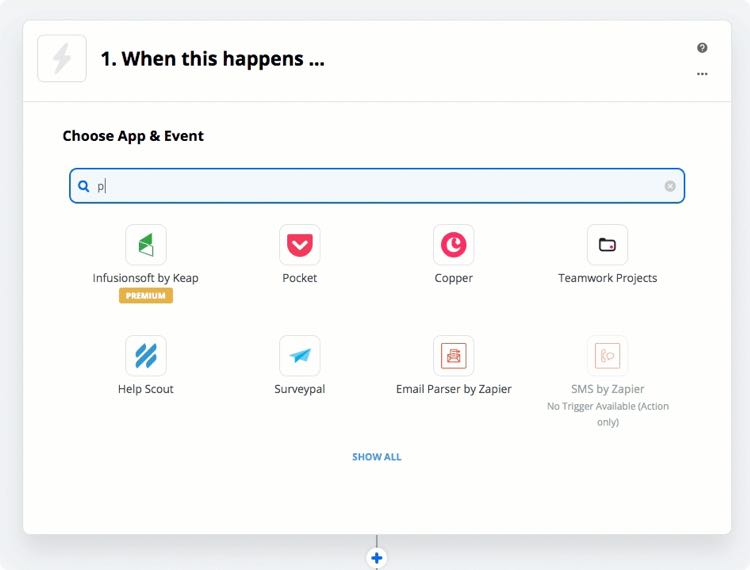
From your dashboard in Zapier, click on Make a Zap. You’ll then be prompted to choose an App & Event. You can find Pitchbox from the app list by searching for “Pitchbox.”
Create Zaps from Pitchbox to other apps or from other apps to Pitchbox and automate your workflows!
Create a custom Zap for your workflow
Connect Pitchbox with the apps your team already uses and automate the handoffs that slow outreach down.